
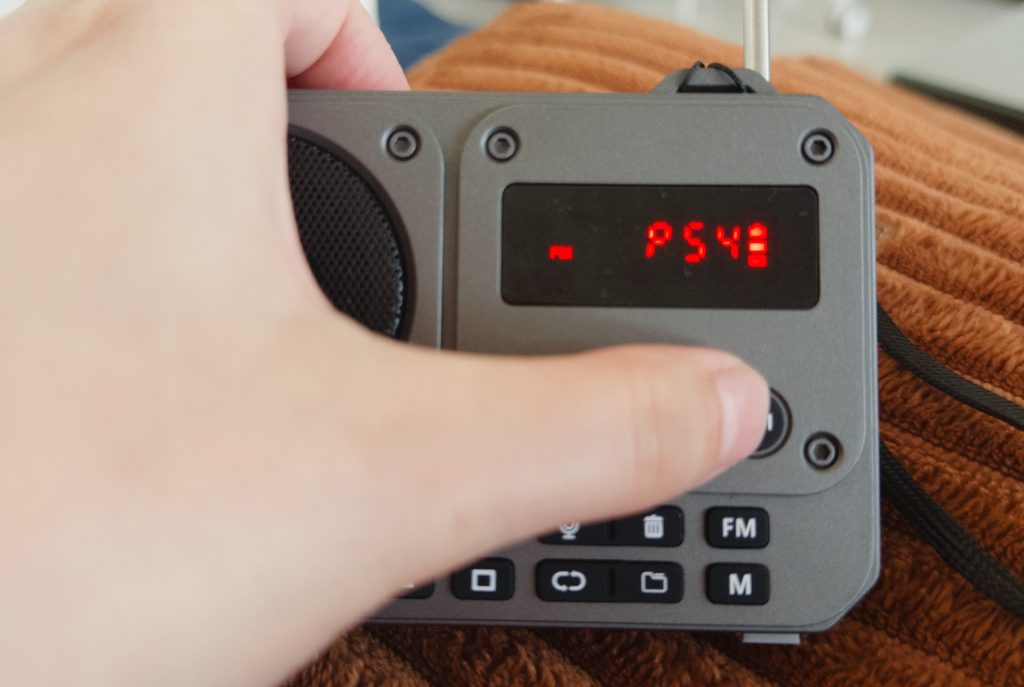
A story of one interaction.
Recently, I got sick of all the music streaming services I use.
The constant loop of recommendations made me realize that this way of discovering new songs keeps me in the same old style I’ve liked for years and limits my chances of new discoveries.
I thought a radio player might solve this problem, so I bought one. Now I use it every day when I want to listen to some music.
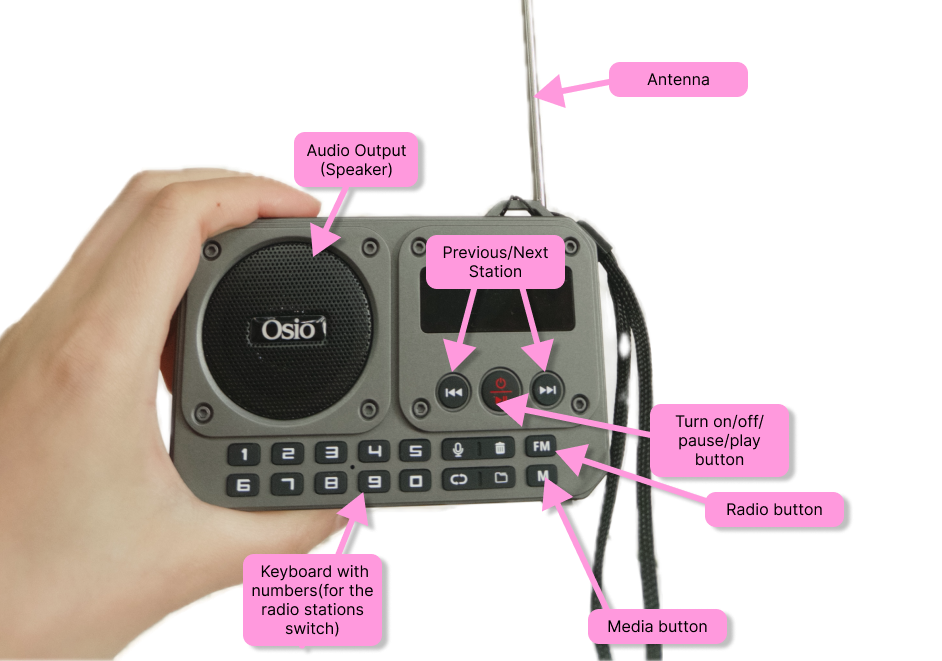
- What happens when I use the radio?
First of all, I make sure that the antenna is fully extended.
I click the “Turn on” button; the player displays red text on the screen, indicating the radio is on.
However, it starts in Bluetooth mode automatically, and you have to click the “FM” button to switch to radio.
When you click the “FM” button, the last radio station starts playing. - What works?
The buttons work, and music plays. The screen notifies me that the radio is on. The “FM” button switches me to the radio. The device remembers the last stations I used. Music is played correctly. - What doesn’t?
Every time you turn the radio on, it goes to Bluetooth mode.
There is no clear way to reset the number of radio stations.
There is no list of discovered radio stations to choose from. Also, there is no way to save favorite radio stations and link them to the numbers. That means that i have to remember the number of the radio station and insert the value manually. - What would you change?
Since this is a radio player, I would make radio mode the default.
At least it should remember the last session and keep it as it is instead of jumping to Bluetooth mode.
Also, I would add a separate button for the radio station setup.
On top of that, there must be a better way to scroll through stations. Like a list of stations that you can pick from, as well as the ability to save your favorites.
Since I use the radio for music discovery, I would prefer to have the ability to connect my device to a phone directly, so I can save the song I like directly to my phone.


Leave a Reply