Learning journal · Entry 01
JournalEntryWeek1
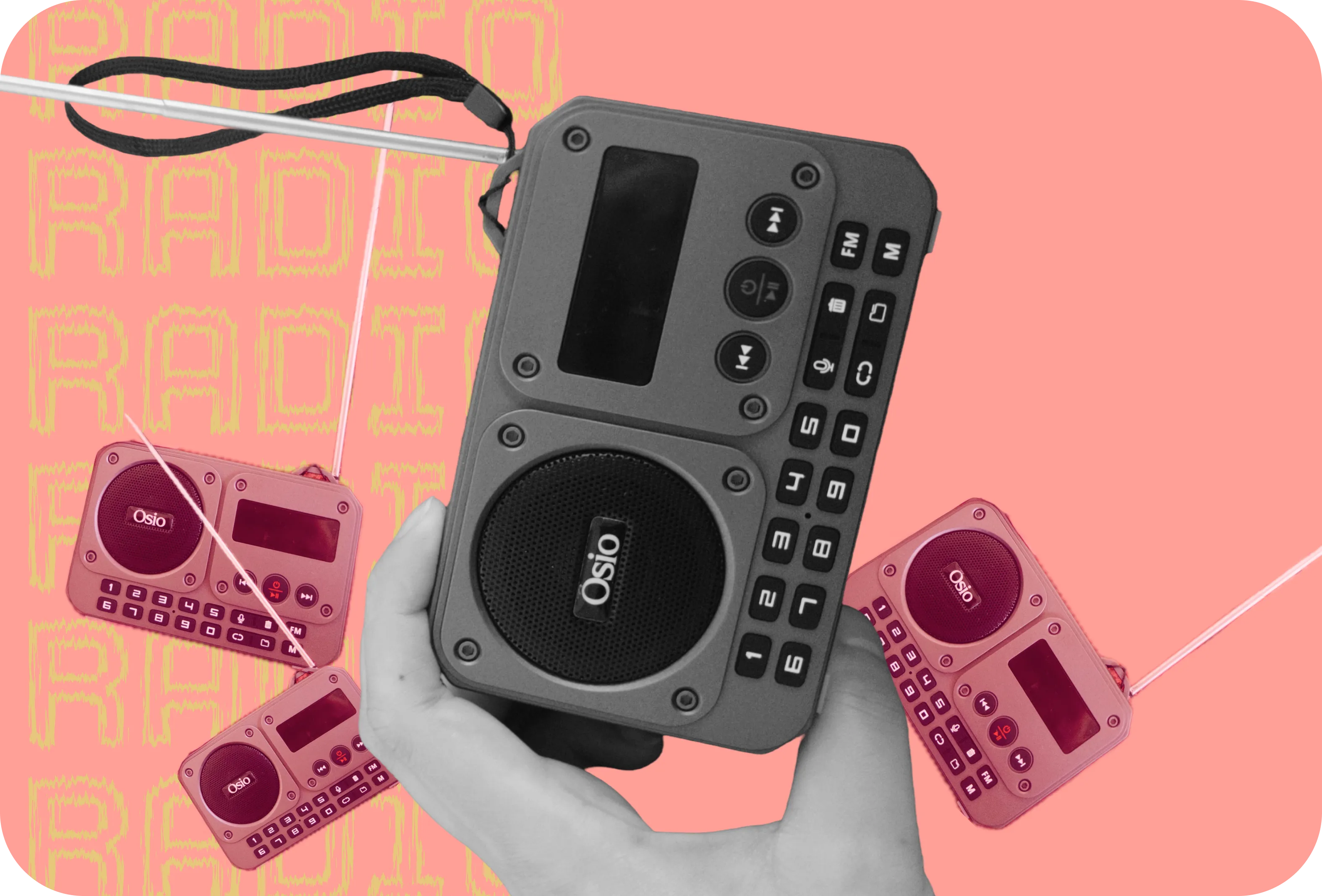
A story of one interaction.
Recently, I got sick of all the music streaming services. The constant loop of recommendations made me realize that this way of exploring new songs keeps me in the same old style I’ve liked for years and limits my chances of new discoveries.
I thought a radio player might solve this problem, so I bought one. Now I use it every day when I want to listen to music.
In this journal entry, I will analyze how I interact with the player, what works best, and what needs improvement. Although it also works as a media player, I want to focus on the radio since that is the only purpose I use this device for.
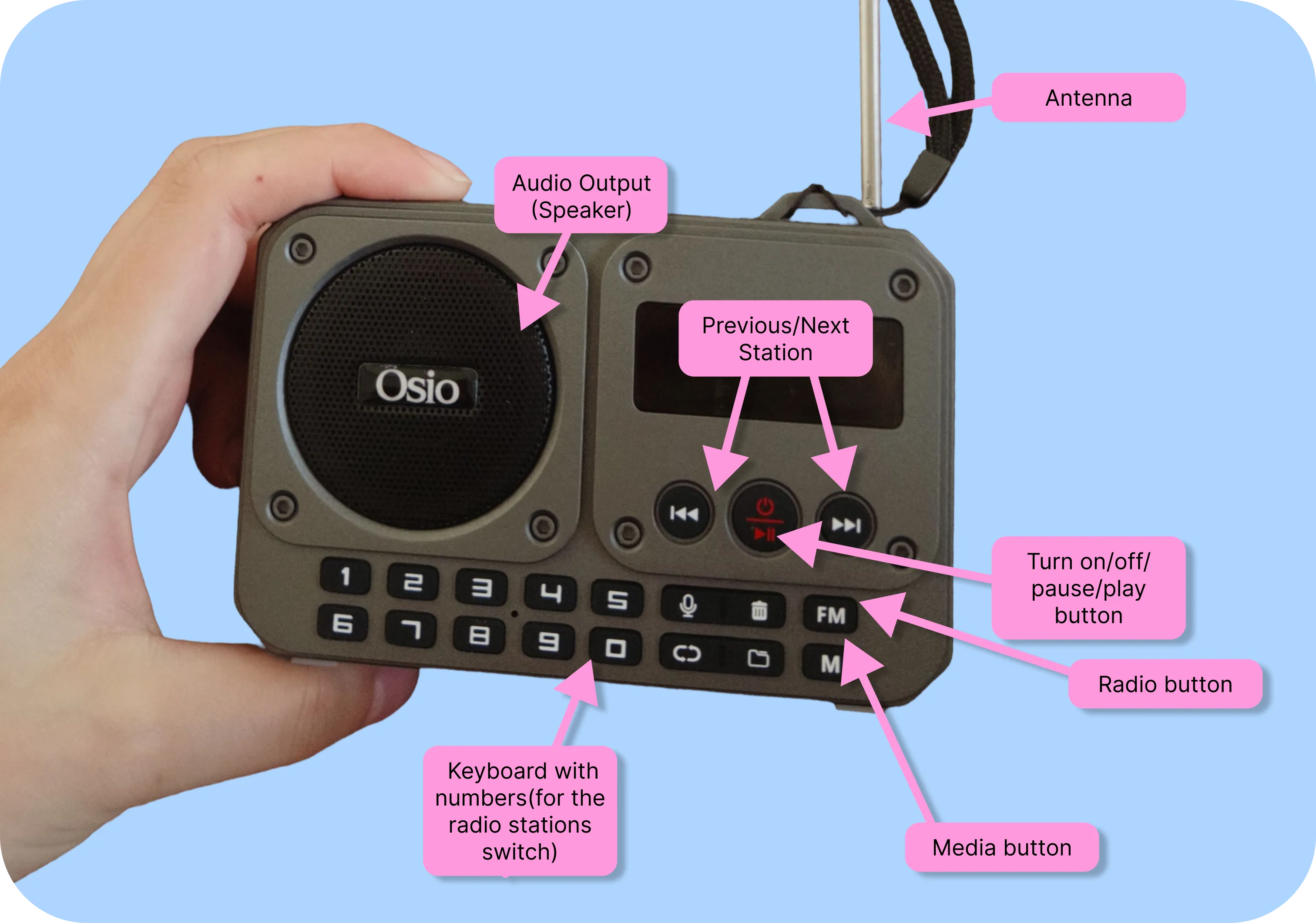
Main features of the radio player
- What happens when I use the radio? First of all, I make sure that the antenna is fully extended.
I click the Turn On button; the player displays red text on the screen, indicating the radio is on.
However, it starts in Bluetooth mode automatically, and I have to click the FM button to switch to radio.
When I click the FM button, the last radio station starts playing.
- What works? As long as I place the antenna correctly, the radio picks up the signal and plays music; it makes crackling sounds when the signal is weak.
The screen shows that the radio is on after I click the Turn On button.
The device switches to radio mode after I click the FM button.
The device remembers the last stations I used and plays them right after I turn FM mode on.
- What doesn’t? Every time I turn the radio on, it goes to Bluetooth mode.
There is no list of discovered radio stations to choose from. I have to scroll through them all using the Previous/Next buttons to pick the one I like.
Also, there is no way to save favorite radio stations. That means I have to remember the radio station number and enter it manually every time i want to check my favorite one.
- What would I change? Since this is a radio player, I would make radio mode the default.
At least it should remember the last session and keep it as it is instead of jumping to Bluetooth mode.
On top of that, there must be a better way to scroll through stations, like a list of stations that I can pick from, as well as the ability to save favorites and scroll through them. This can be changed through some digital interface changes and three new physical buttons:
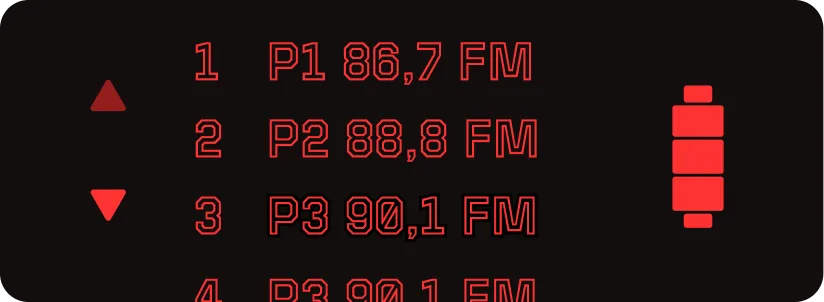
Stations list. Possible interface fix. This will require changes in the hardware since the original interface lacks Up and Down buttons.
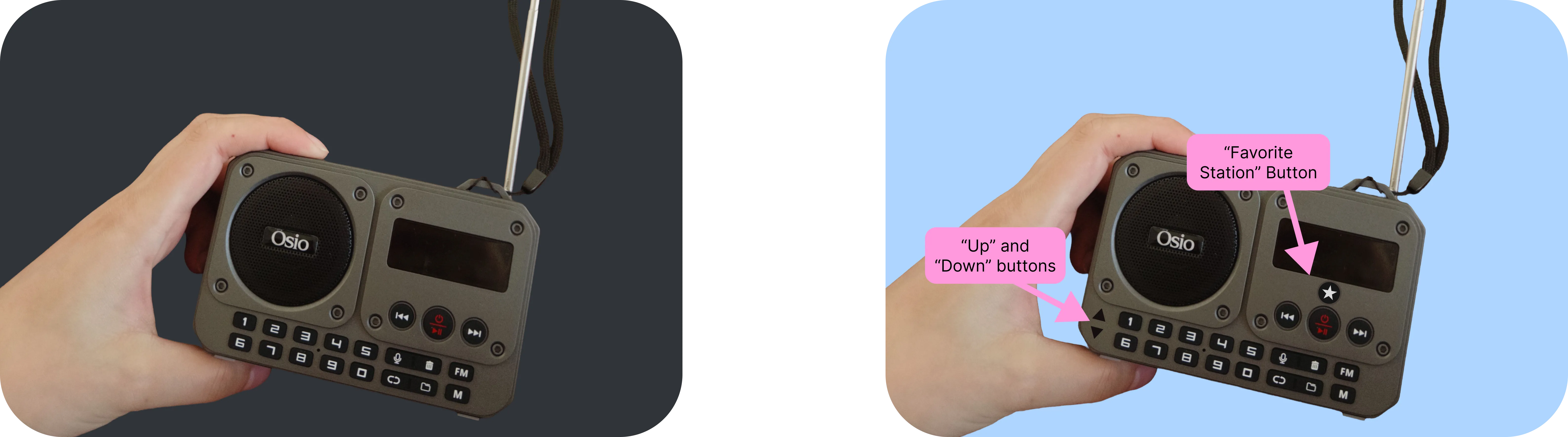
Adding Up and Down buttons for better navigation since it is more intuitive for the vertical list. A Favorite button would let me add a station to the list of favorite stations. The original interface already has a Delete button that lets users remove stations from the list.
Overall, I really like using my new radio player. Of course, the UX isn’t perfect and could be improved; sometimes it’s too complex or lacks important features. But still, it does its job well. For me, it’s been a great way to discover local culture through listening to Cypriot radio stations.